

Frequently Asked Questions
Windows 10 System Cannot Recognize the Driver
- Windows 10 or older Windows systems need to manually specify the driver installation.
-
Check if there is any driver not installed.
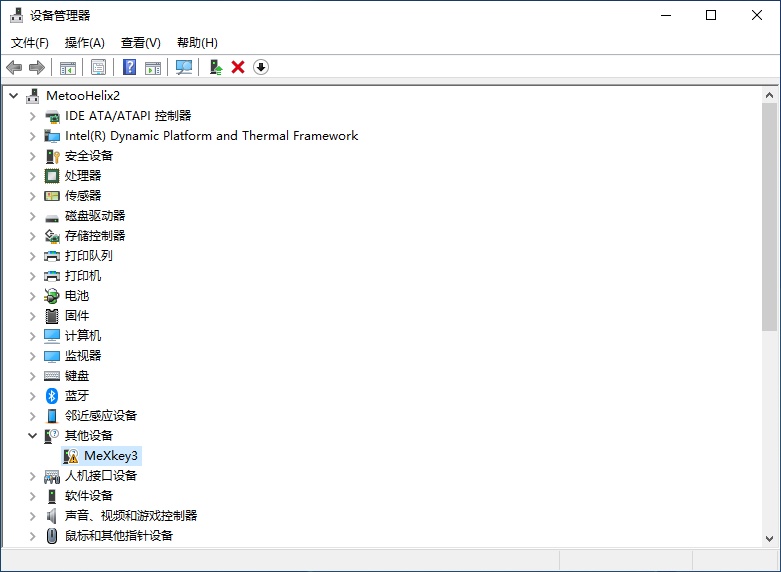
-
Manually update the driver.
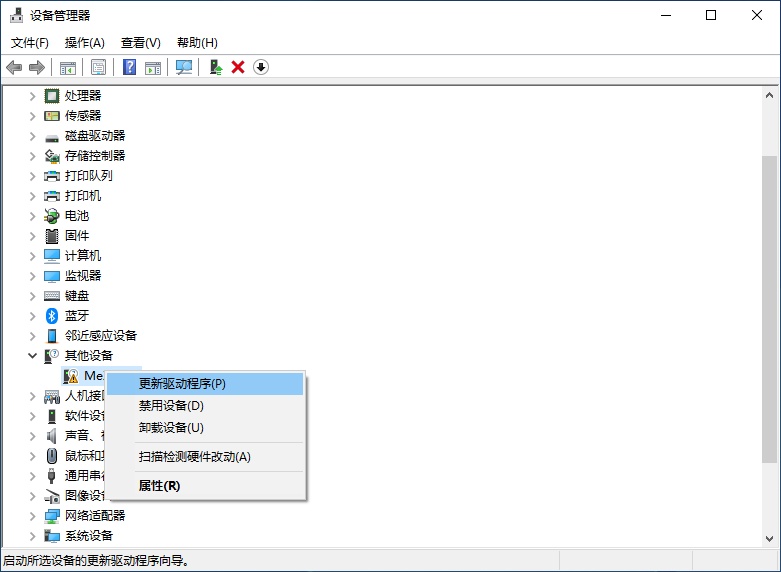
-
Manually search for the driver.
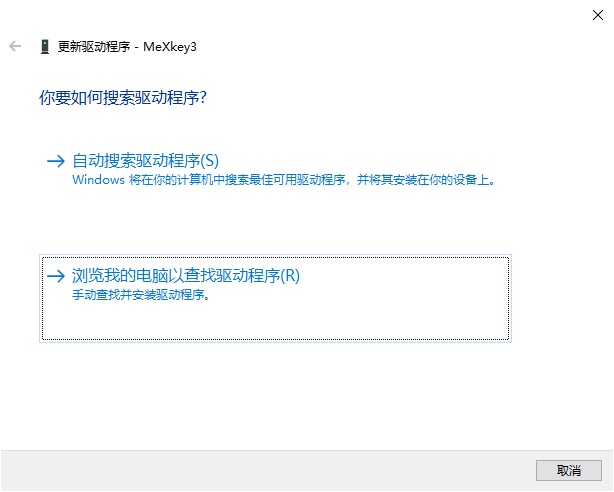
-
Select the device type as
Network adapters.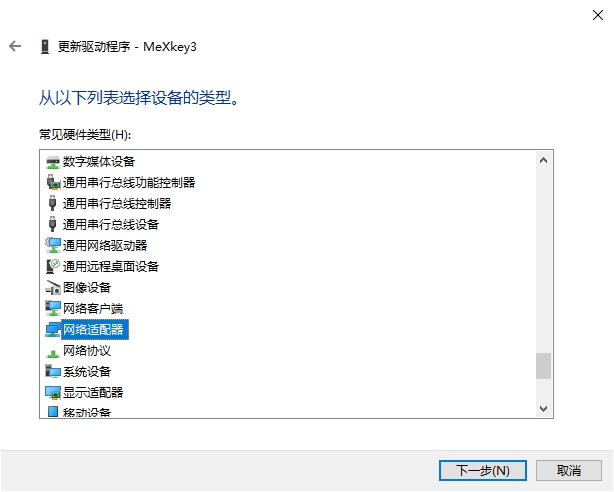
-
Select the driver manufacturer as
Microsoftand the driver model asUsbNcm Host Device.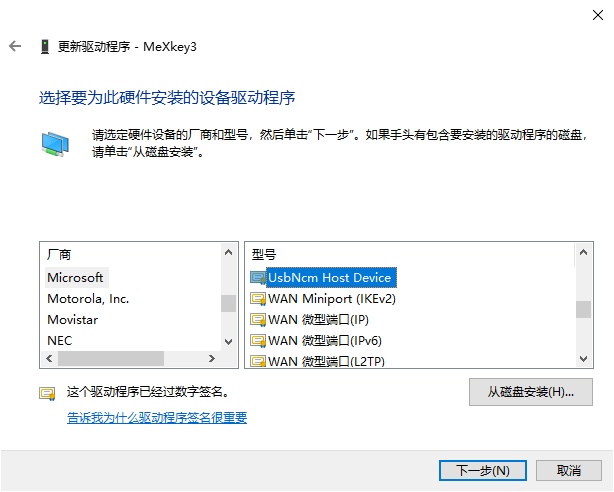
-
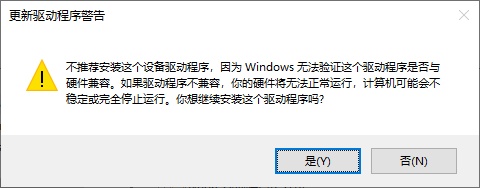
Click Yes when prompted.
-
After installation, you can see the recognized
UsbNcm Host Device.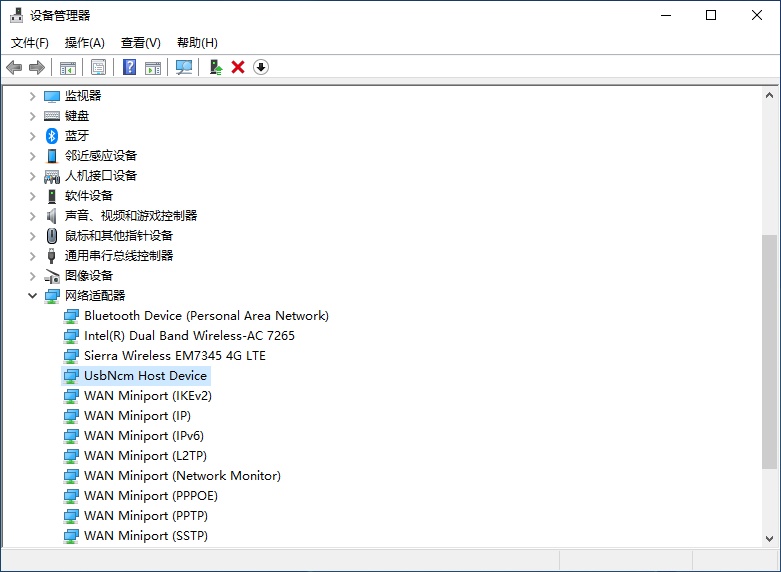
-
Kdbx Password Error
-
Check whether the encryption method of the Kdbx password database has been modified correctly.
-
If you opened MeXkeyConfig.txt with Notepad, check if the encoding is
UTF-8.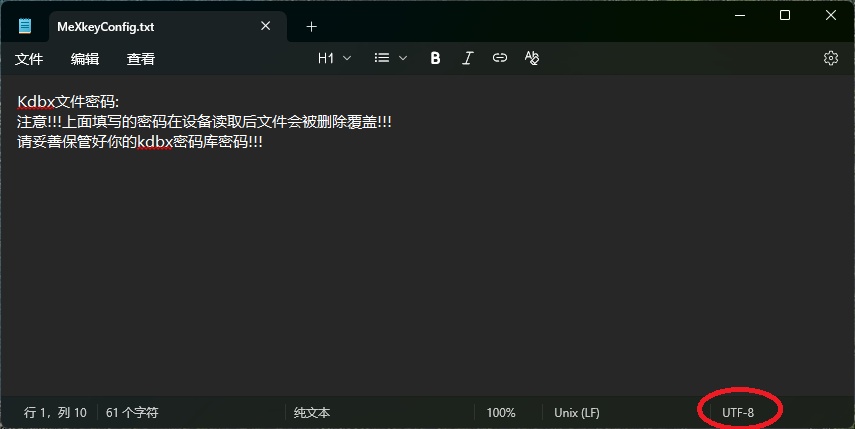
If the encoding is incorrect, you need to save it as a new file and select
UTF-8encoding on the save page.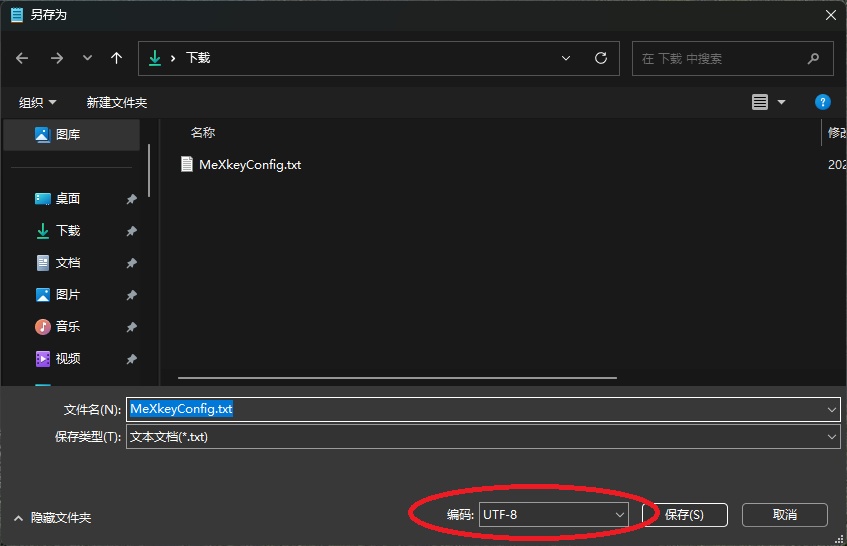
ON THIS PAGE